Devlog 83 - Verified Artist Flow
Published: March 2, 2026
It's been quite a while! Besides taking a welcome break from thinking about Rhythm Quest over the holidays, I've been dealing with a bunch of different non-Rhythm Quest things in my life (sickness, death of a pet, practicing for and winning a tournament...). Real life never really stops coming at you, I guess. Nevertheless, since making the main Rhythm Quest Discord server read-only it's been a nice breath of fresh air to just quietly work on the game without feeling any real expectations from anyone, taking pit-stops as needed to deal with everything else along the way.
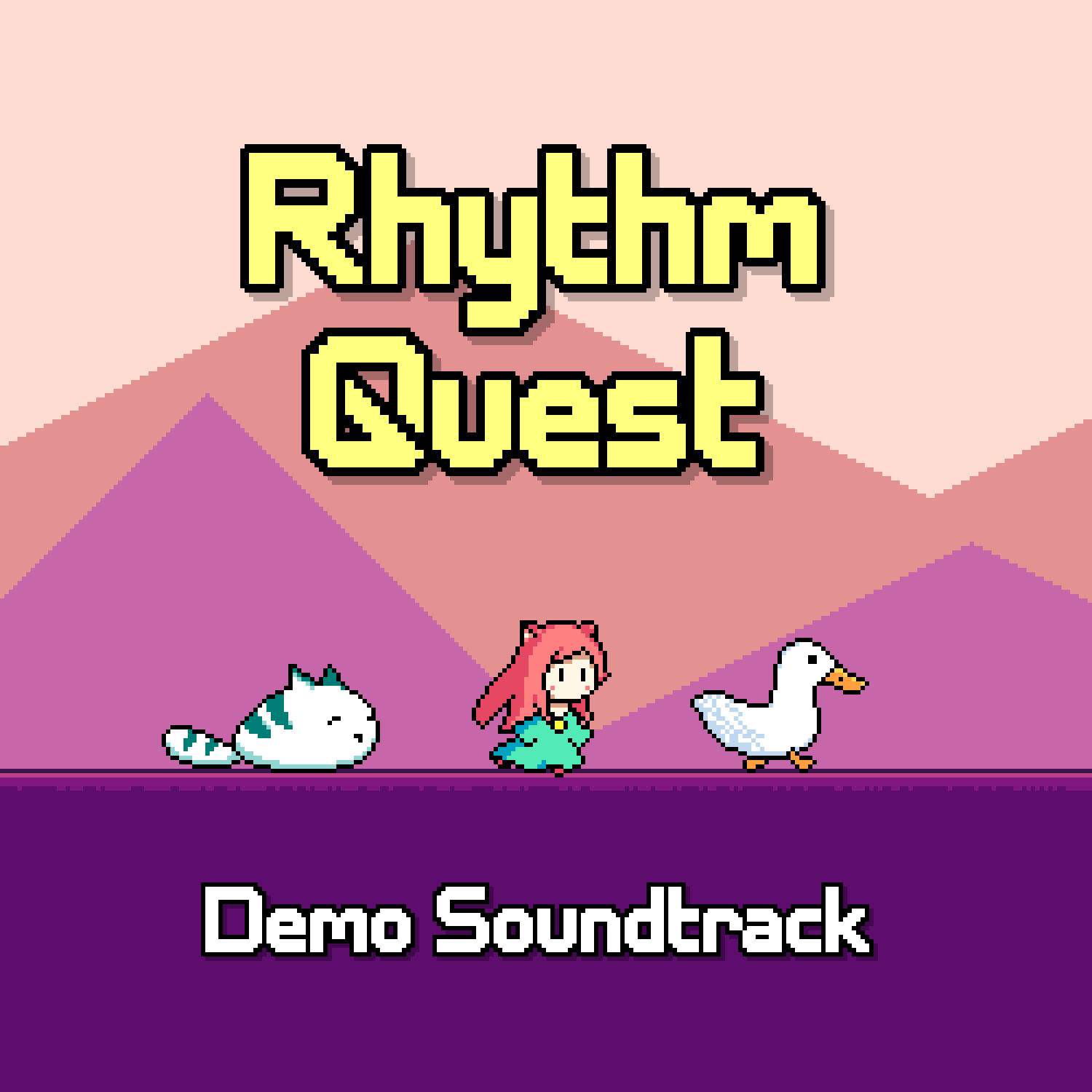
Demo Soundtrack Release
It's been a few months at this point, but I've given an official release to the Demo Soundtrack, which you can now find at https://ddrkirbyisq.bandcamp.com/album/rhythm-quest-demo-soundtrack. I've also rendered out gameplay videos of those songs with just the music, you can view those in a YouTube playlist here.
Info Portal
I spent a bunch of time working on a new info portal site for Rhythm Quest, which now lives at https://rhythmquestgame.com/info/ (not yet linked from the main site, but will be at some point). This includes quite a lot of stuff, including a viewer for the new Verified Artist database, submission forms for level authors and music artists for interacting with said database, and a bunch of policies and terms of use, including how to deal with copyright violations, legal rules and liabilities for usage of the level editor, and a page that outlines what you can and can't do with content from the game.
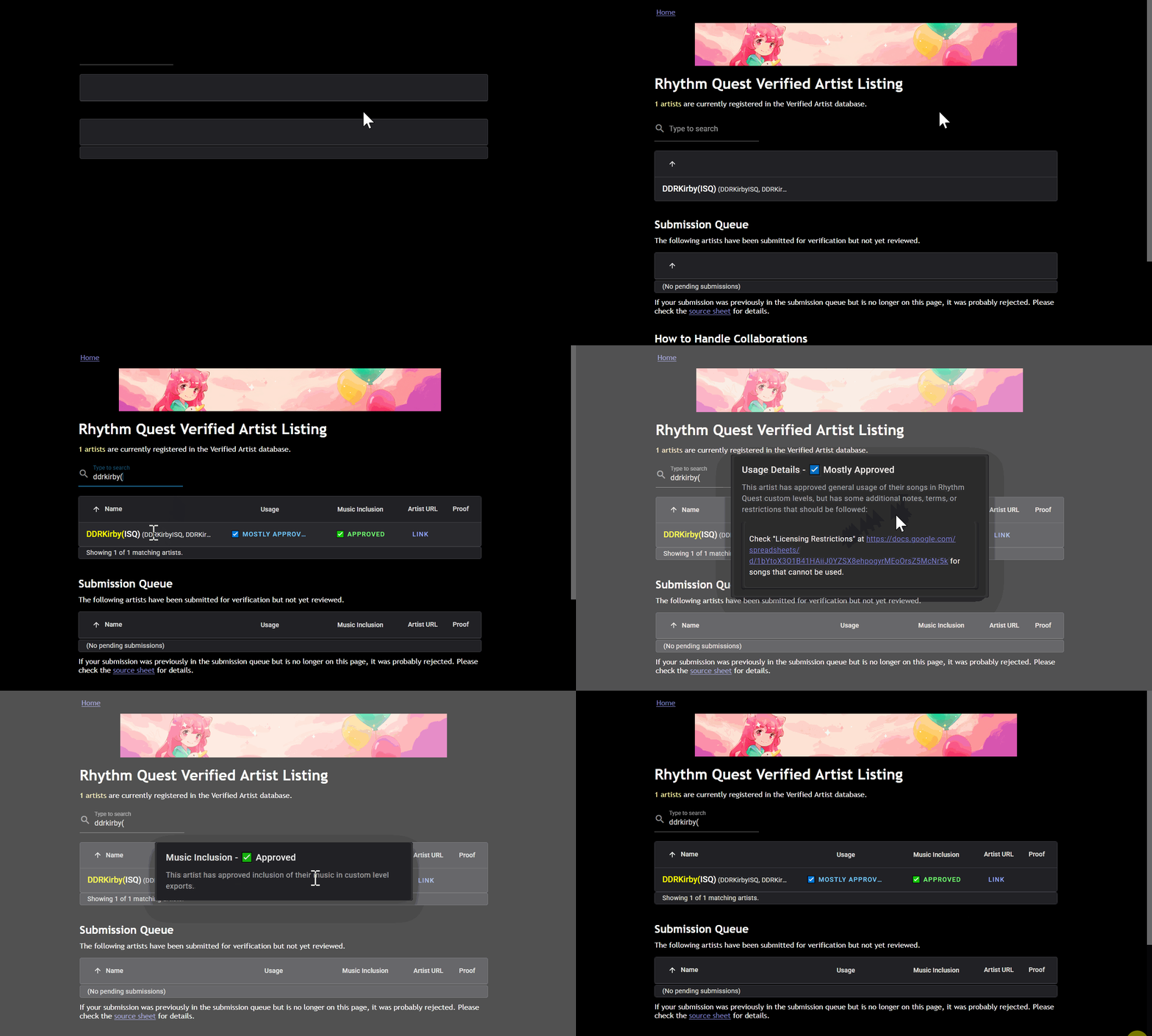
I'm getting more and more experienced with frontend (web) work as I continue to make more and more websites, so there's quite a lot of small details included here, even beyond just the actual policies and content itself. Here's the Verified Artist Listing page, which pulls CSV data from a google sheet (currently just one entry) and sorts it into a nice table view, with a loading indicator, live search highlighting, and dialogs for detailed views:
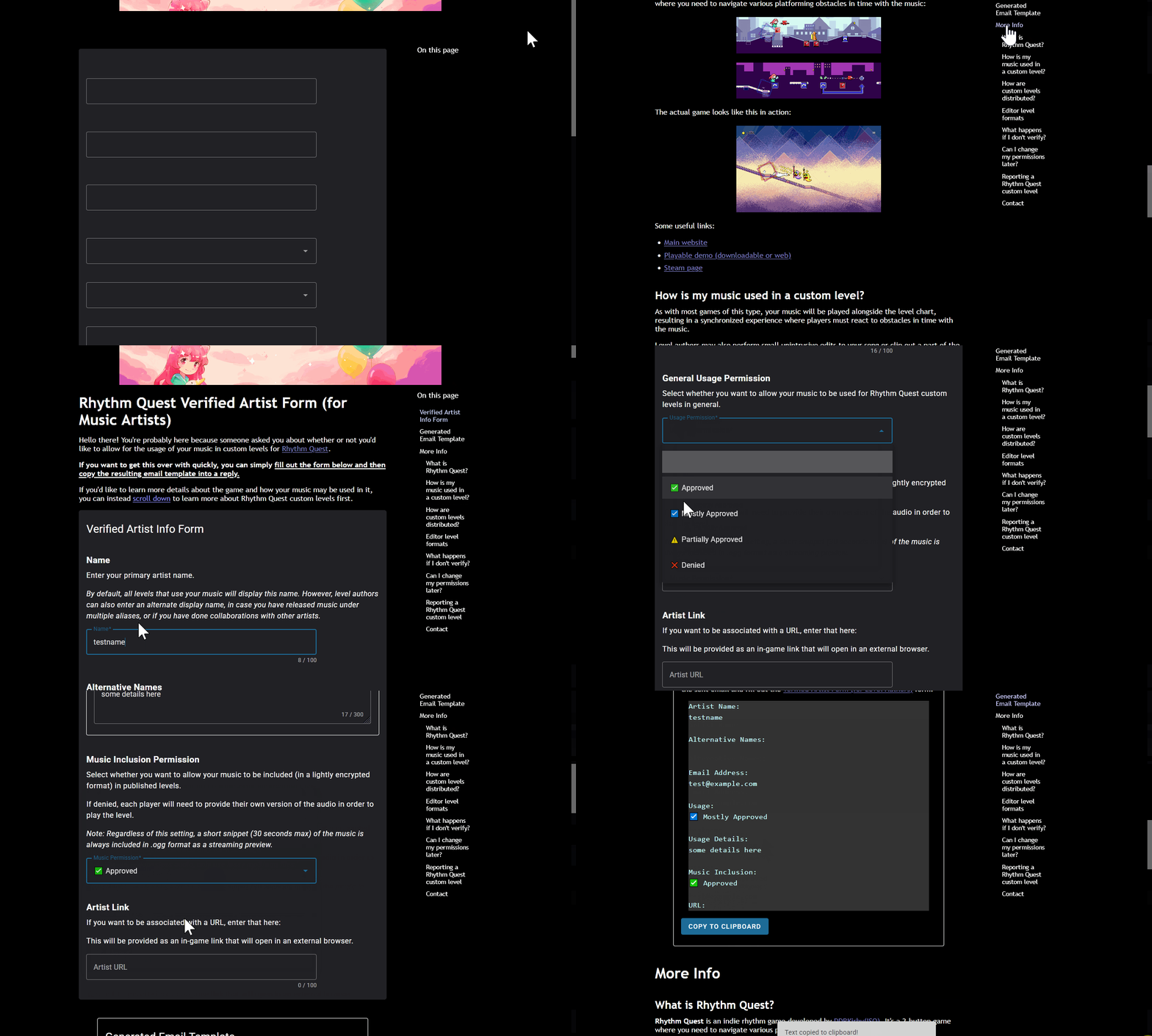
Similarly, the Verified Artist Form (for music artists) includes a floating table of contents view on the right side, as well as dynamic form elements that update according to your choices, and an auto-generated email template that you can copy to your clipboard by clicking a button:
I've event set up the tech for all of these pages to handle localization into other languages as well, though I'm not about to ask my volunteer localizers to deal with all of that text, since there is quite a lot and it's not even relevant yet.
Verified Artist System
I'd be incredibly remiss if I didn't mention the Verified Artist program maintained by 7th Beat Games (Rhythm Doctor, A Dance of Fire and Ice) as a direct inspiration and model for the system that I've been building out for myself. As a musician and creative (who has unfortunately had to deal semi-regularly with people stealing and using my work without permission), I take artists' rights seriously, so I've mulled over how to best handle copyright issues and artist permissions ever since I first decided that I would work on a custom level editor. The exact details have shifted around a bit over the past few weeks as I've worked on it, but here's where I'm at right now...
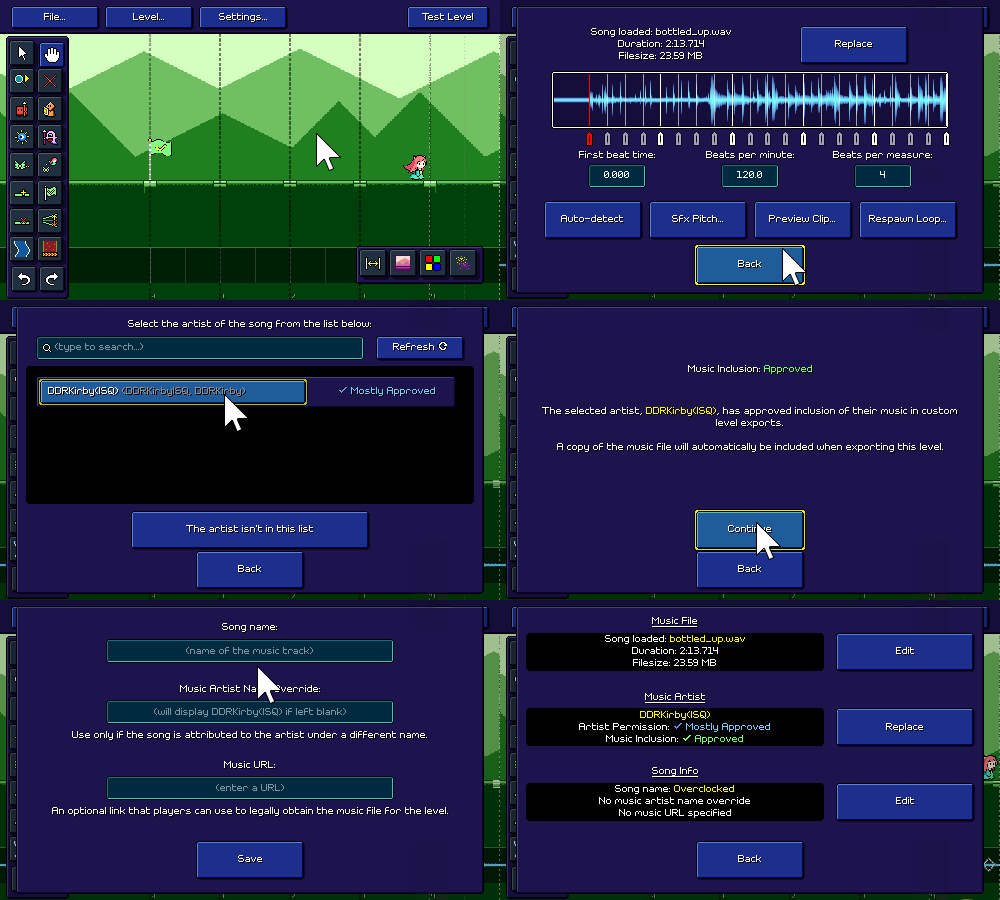
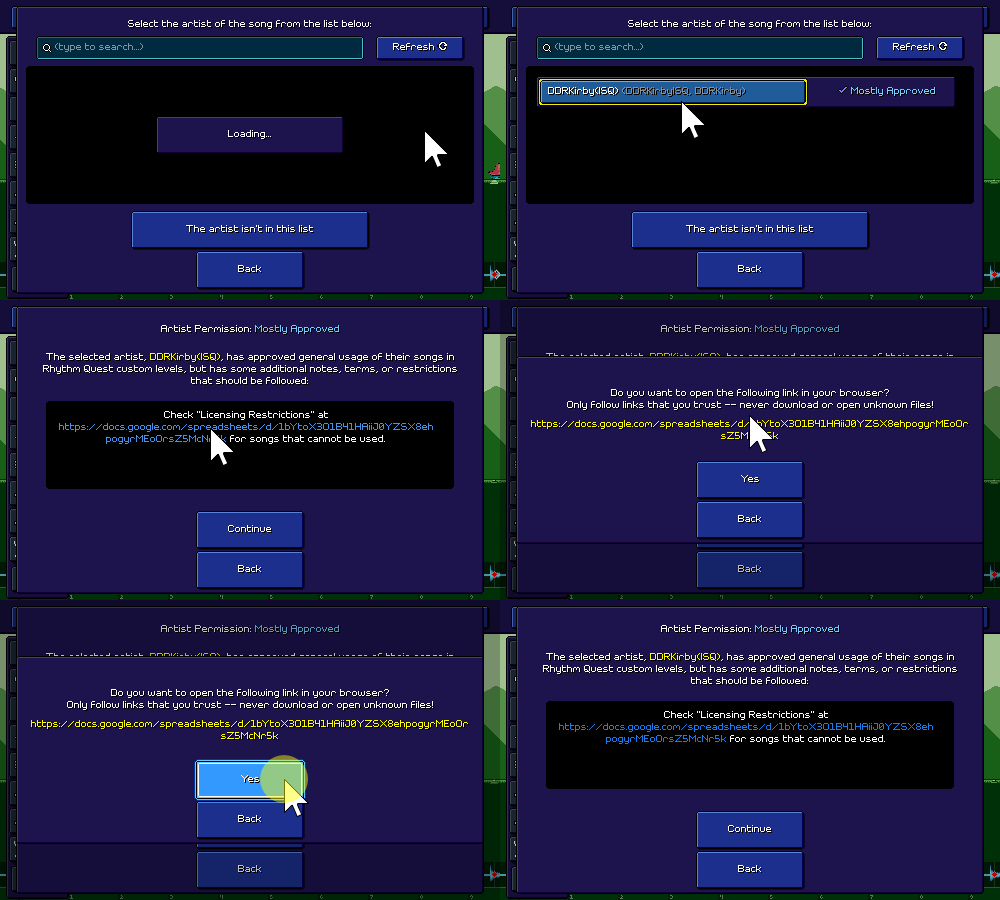
There's a brand new menu screen for selecting an audio file, selecting an artist, and then specifying the name of the song (and some other optional details). Instead of simply entering an arbitrary artist name yourself, you're taken to a view where you can select an artist directly from the Verified Artists database (queried on-demand from google sheets, this time rendered using Unity UI code). I then display some details about what that artist has chosen to allow and disallow.
You can also choose to enter in a custom URL where players can (legally) obtain a copy of the audio that they need to play your level. At some point I'll need to hook this up into the level browser, but for now it's just stored with the level.
This looks like "just a few different menus" but there was a bunch of logic that went into this -- for example, for the "usage details" section, I dynamically parse the text that the artist provides for links, and then coded up a little helper dialog for opening external links:
Unverified Artist Flow
If you want to pick an artist that isn't on the list, you have a couple of options.
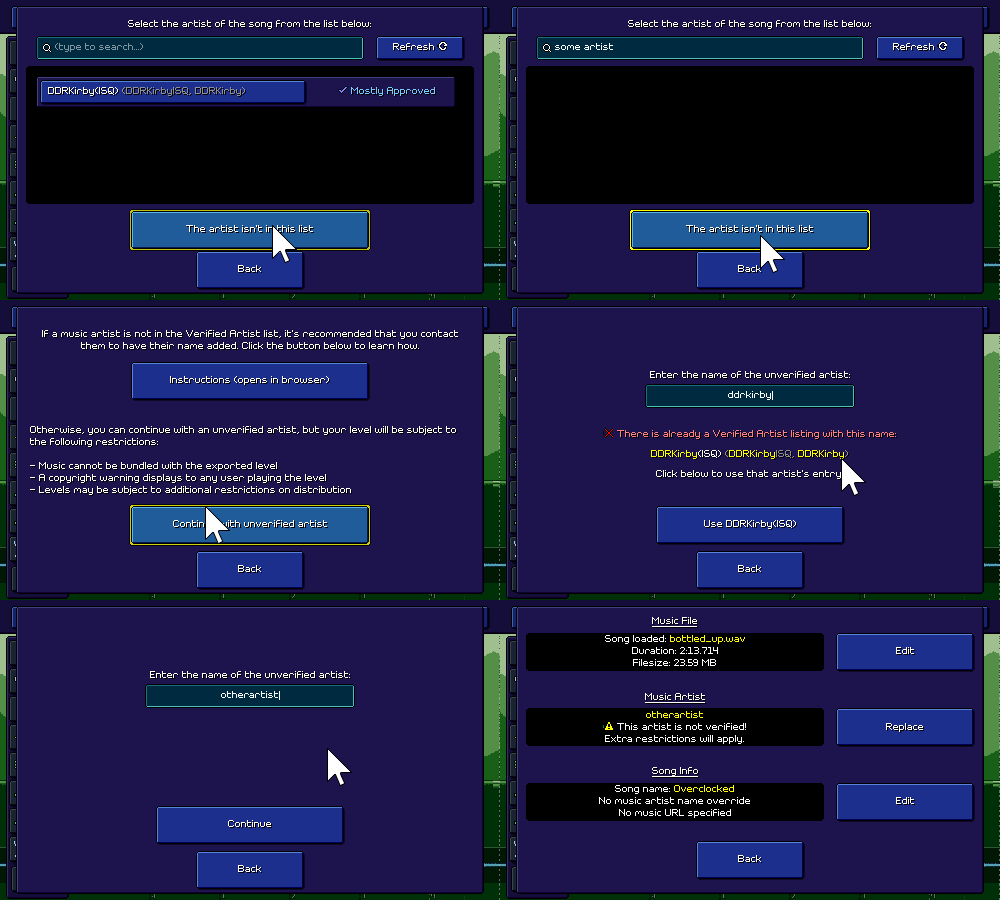
You can follow a link to the form that instructs you how to contact the artist for permission, and then wait for a response to come back and get verified. Alternatively, you can enter an arbitrary "unverified" artist name. This comes with some pretty heavy restrictions, though, so you're incentivized to properly ask for permission!
Bypassing the verified artist flow will mean that you can't include audio files with your song export, and I'll display an extra warning to players who play your level to be aware of the copyright risks. To cover my bases, I also added in checks to make sure you can't just abuse the unverified flow by typing in the name of an artist that is actually already in the database.
Terms of Service
Because I'm now adding some legal rules for level authors to follow, I need to make sure to prompt the user to read and accept them, so that's now included as one of the modular checks that runs when you try to export your level. Rather than display the terms of service in-game, I'm just having that open up in a browser window so that I can manage that as a (nicer-looking) web page.
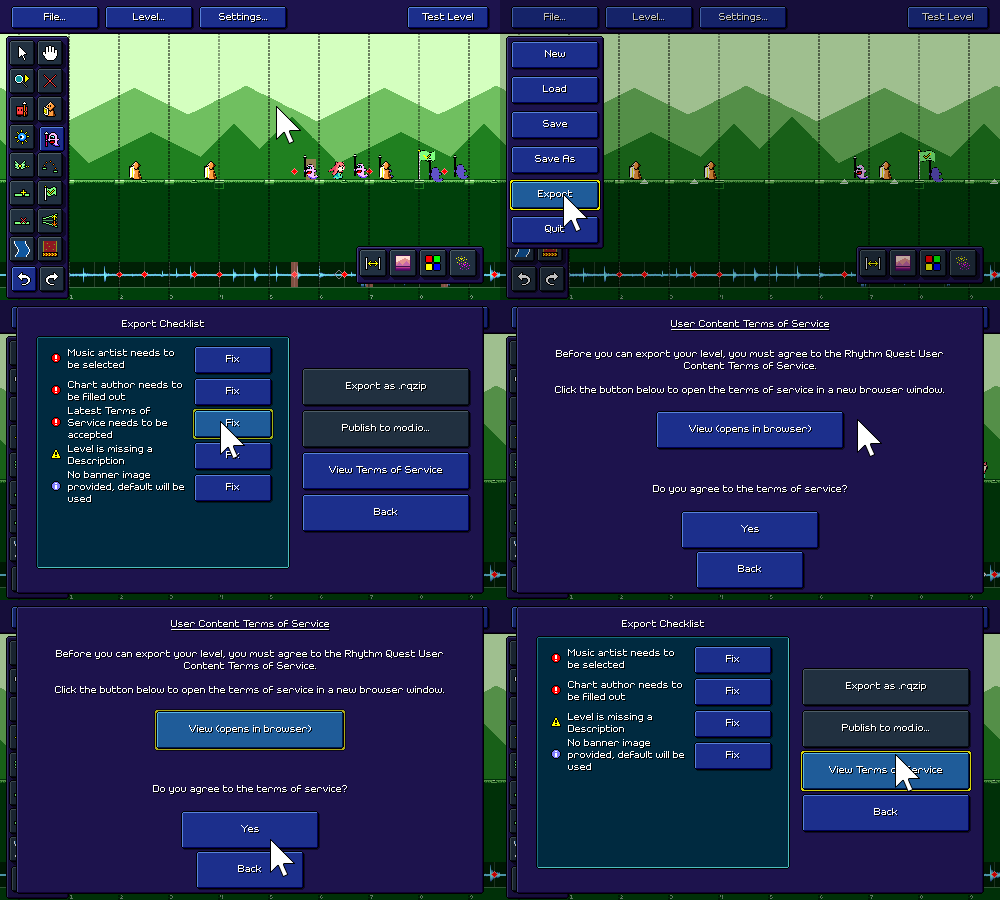
I have a rudimentary system in place for tracking your acceptance and then re-prompting you to accept if the terms update/change, but hopefully that will be a rare occurrence and I won't really need to worry about it.
Onward and Onward
A LOT of UI work (both on the web side, and on the editor side) went into this whole system, but it is more or less functional (?) at this point, at least as far as the editor side goes. There are still a couple of important pieces missing though -- one of them being the ability for players to provide their own copy of the music file for a level that doesn't include audio (that one is going to be a headache to implement, with a bunch of edge cases to handle...).
Because the song and artist name moved into the new menu mentioned above, I had extra room in the level properties menu to shift some things around and display the graphical difficulty chart that already exists in the level browser:
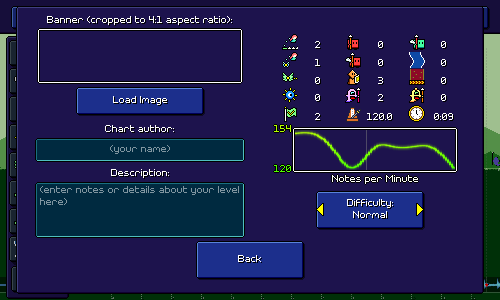
You'll also notice a difficulty selector there, but currently the level editor doesn't support multiple difficulty levels for charts! I think I can make that work with some additional effort, but I may leave that as a to-do for future me if I decide to work on something else first. Getting custom levels to show up in the level browser is probably next on my list.
The whole verified artist/publishing flow was one of the really big items that I had on my "major to-do" list (some others are reworking the earlier stage backdrops, and of course making level 6-5), so it feels good to have taken care of a good chunk of that! Hopefully I can keep this momentum up for the upcoming months, too.
<< Back: Devlog 82 - More Companions
>> Next: Devlog 84 - More Custom Level UI Work