Devlog 84 - More Custom Level UI Work
Published: April 23, 2026
Lots of things got worked on in the past month!
Timing Jitter Fix
A small but super important one that honestly should have been fixed ages ago (oops). I've mentioned a long time ago in the past how the audio timeline and visual/game logic timeline essentially run independently in parallel and can drift with respect to each other, so there needs to be some sort of special handling to keep the two synchronized over time. There are basically two ways to handle this problem, you can either let the gameplay/visuals run at their standard rate and try to make minute adjustments to the audio pitch in order to keep it in sync, or (and this is what Rhythm Quest does, probably what I'd recommend as a default as well) you can use the audio timeline as the source of truth and try to adjust the gameplay/visuals to be in sync with that.
This is all working fine and well and I'm using a linear regression as described in https://x.com/FreyaHolmer/status/846007272329428993 to smooth out the updates -- if you try to naively have gameplay track the audio DSP time then you get a lot of jitter because of how it's reported with respect to audio buffering. The problem is that I was only taking 15 samples at a time for maintaining the linear regression, so as the reported audio time jumps instead of increasing smoothly, the visual/game timing also jumps around a bit since the linear regression isn't stable enough.
It wasn't =terrible= but this led to slight but constant fluctuations in timing, something that I've actually seen and felt myself but never gotten around to investigating fully since it didn't seem too bad in motion with everything else going on (it is also more noticable at higher refresh rates). The simple and easy fix was to simply increase the amount of samples taken for the linear regression, so small fluctuations end up getting smoothed out over time and there's much less jitter. This does mean that if there's some sort of jump or other issue where the audio timeline suddenly gets out of sync, the game will respond more slowly (and smoothly), but I think that's ok; it's going to be a bad experience no matter what when that happens (and is usually due to something weird happening like an audio device being unplugged or the entire system freezing or whatever).
I've also tweaked the logic so that the linear regression samples are taken independently of frame rate (before it was doing a regression across the last N frames, as opposed to always doing N samples over the past second or two), which should lead to more normalized behavior across different frame rates. This should be going out in a patch soon and should result in a small but noticeable improvement in gameplay smoothness for everyone (yay!).
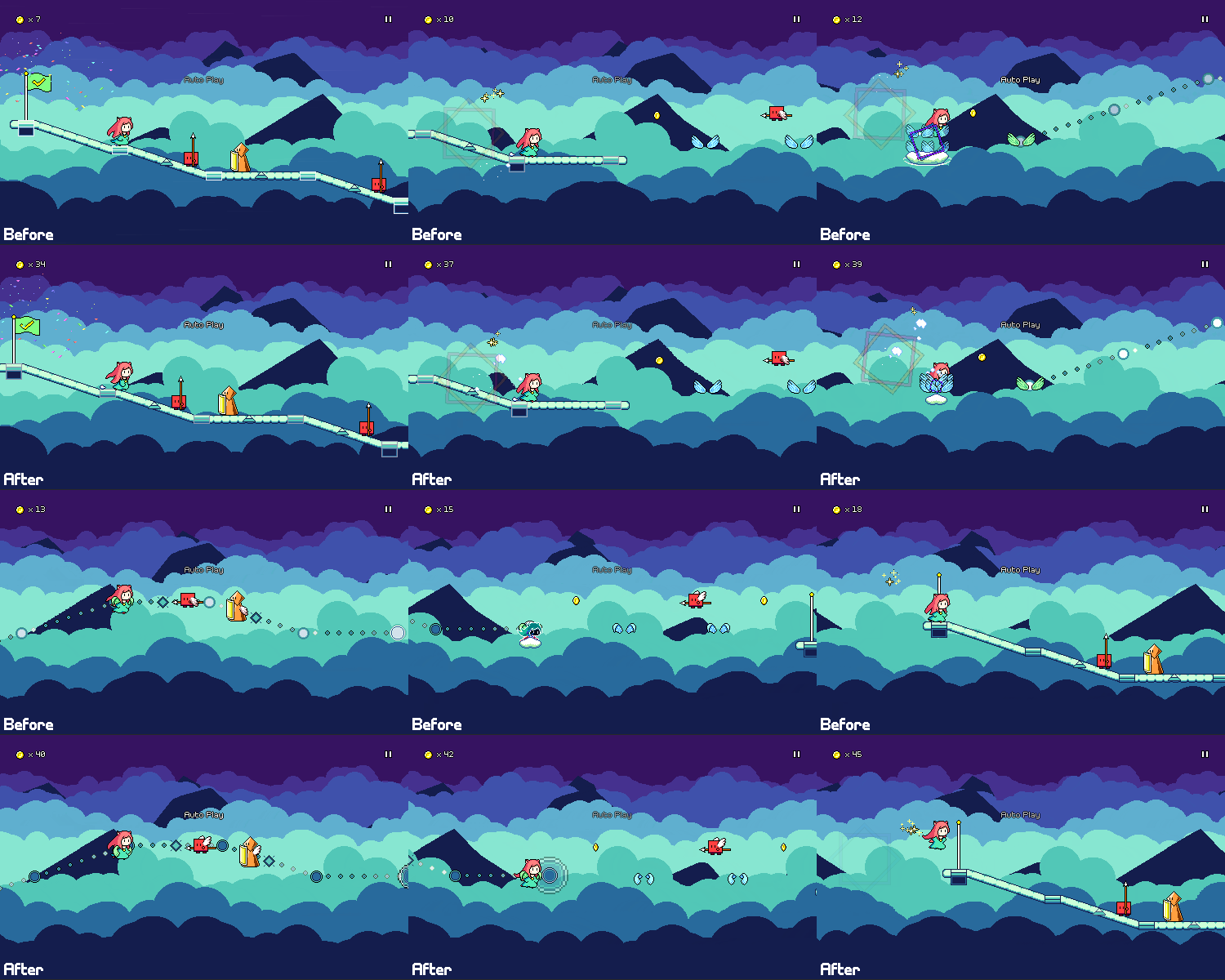
This is the kind of thing that's really hard to show off in a 50fps gif, but I tried to artificially accentuate the difference above as a demonstration.
Custom Level Difficulty Support
Last time around I mentioned that custom levels didn't yet support multiple difficulties, but I've put in all of the work to make that happen!
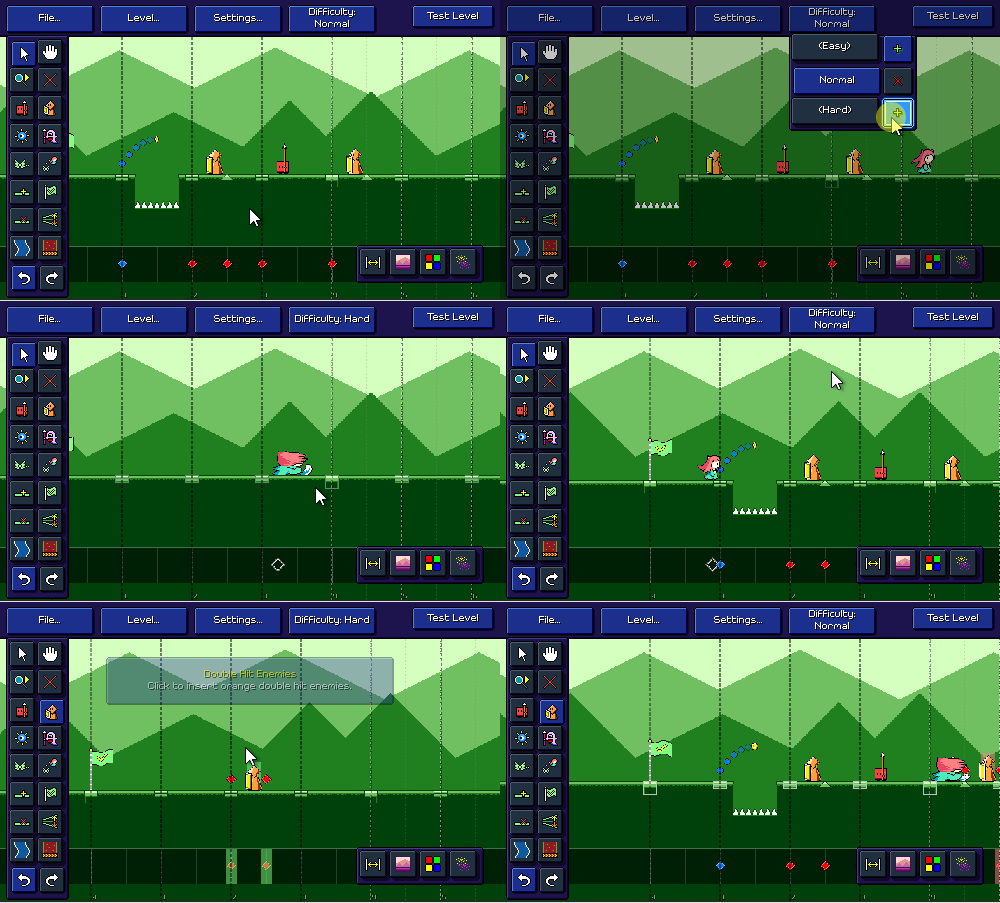
There's a new menu in the editor to allow you to switch between editing different difficulties. By default a song is created with just a Normal difficulty chart and you can add from there. You can even have a song that only has a Hard chart, as long as you have at least one.
Of course, this makes the level browser logic more complicated as now I have to deal with songs that may or may not have all three difficulties available. So if you select a custom song that doesn't have a chart for the active difficulty, I temporarily switch it while you're viewing that song:
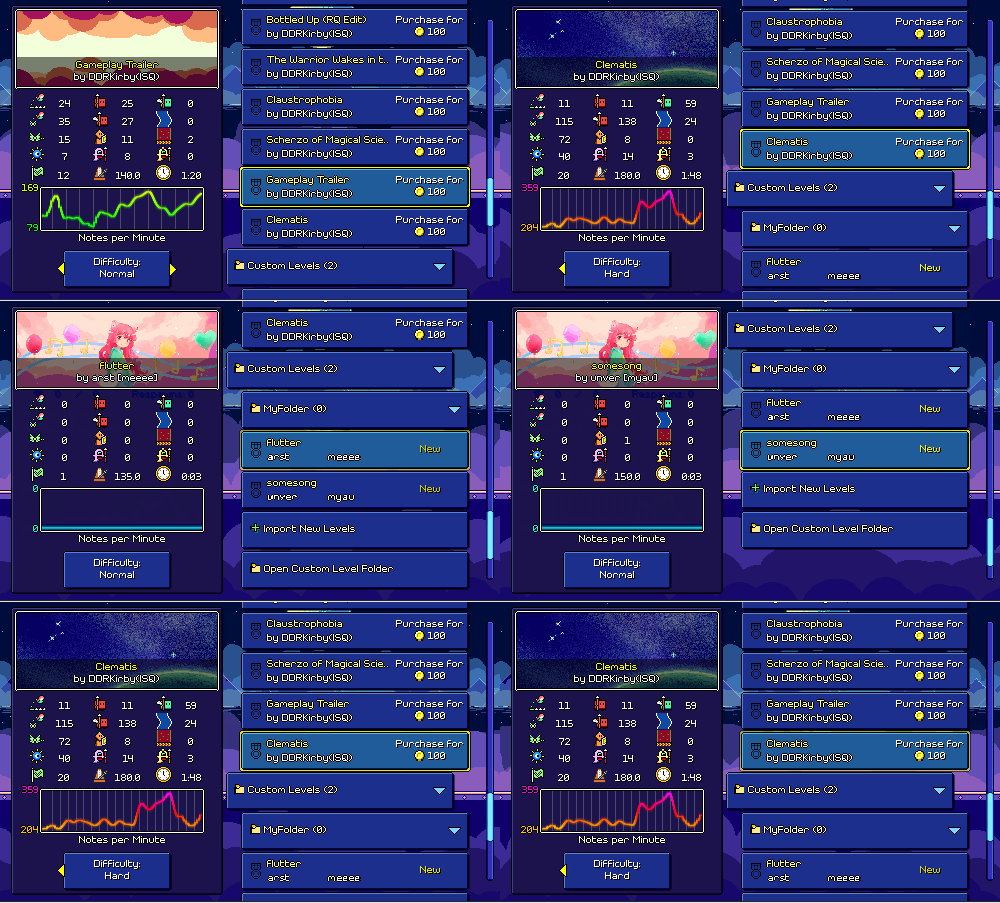
Level Browser Improvements
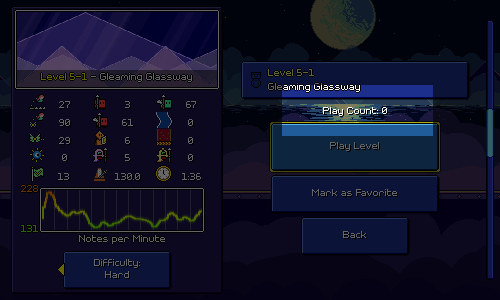
The total number of times you play a level (regardless of whether you finish it or not) is now tracked as a fun statistic, displayed on the "ready up" section of the level browser:
In addition, you can now mark levels as "favorites", which will make them appear in a special favorites folder. This is less trivial than you might think...marking a level as a favorite means I need to add a new button to the list of levels, and removing a favorite means I need to remove that button.
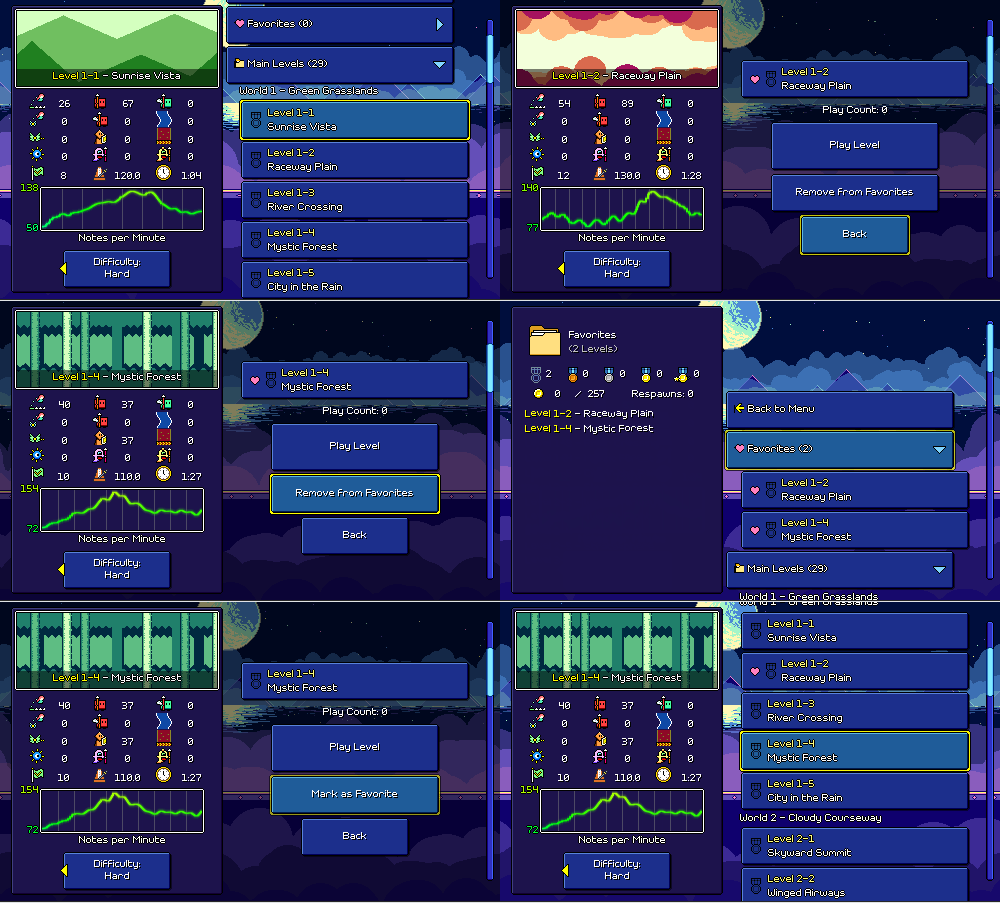
That actually gets into a tricky scenario shown above where if you go into the favorites menu, select a song, and then remove it as a favorite, I need to delete that button...what should happen? For now the simplest solution I came up with is that you end up with the other (original, non-favorite) button selected. So when you back out of the menu, you'll no longer be in the favorites section. Might be awkward if you're trying to remove a bunch of favorites at once, but maybe I could just make some sort of alternate shortcut for that.
File Save/Load on Mobile
I've always figured that the level editor would be unavailable on mobile devices. The level editor UI itself actually more or less works with a touchscreen (go me!), but being able to load external music files into the editor (as well as saving and/or exporting them) was something that I figured wasn't super feasible.
Since I've been dealing with a bunch of custom level stuff, though, I revisited this and found a library that helps handle importing and exporting files on both iOS and Android. The whole flow is a little more clunky for sure, but I've tested it on a mobile device and it's been working successfully!
Since there's not a great way to browse the folder where custom levels are stored on mobile, I also added a way for you to delete custom levels straight from the level browser, which will help on both mobile and Switch:
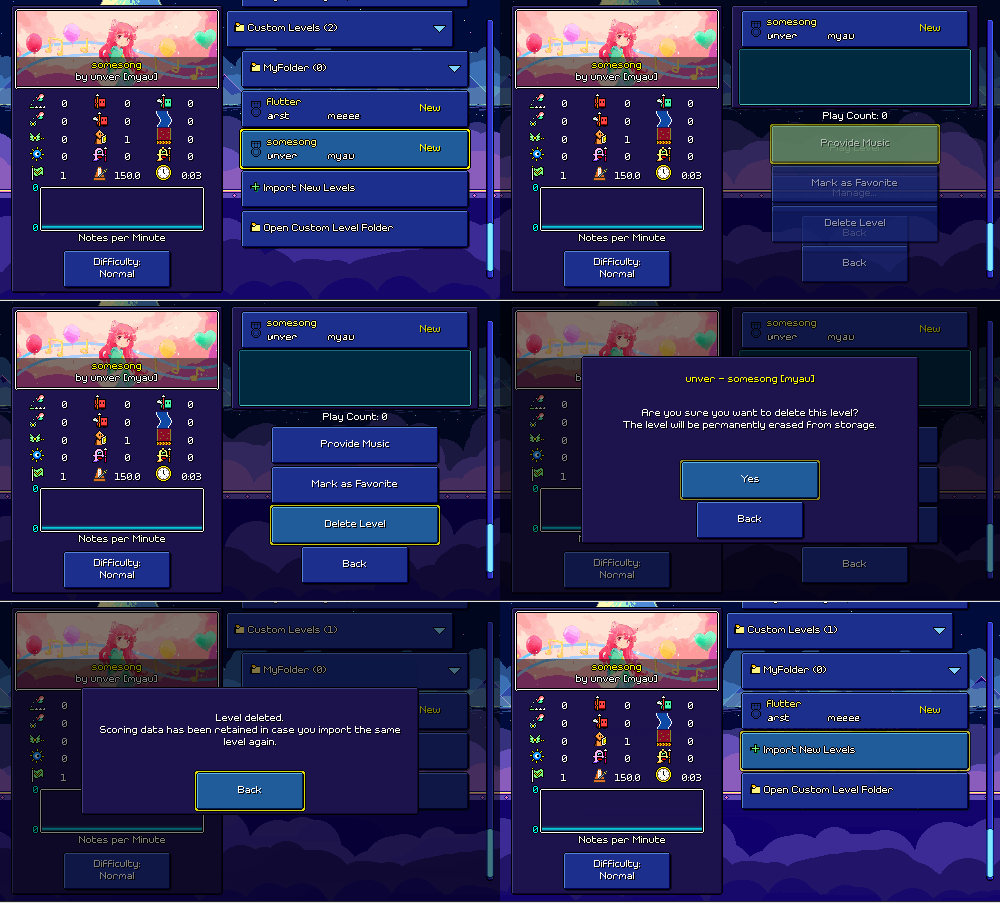
Unfortunately, the Nintendo Switch simply has no way (at least outside of jailbreak methods) to load in external music aside from something super cumbersome like entering in a URL, and it also doesn't let you manage files in a filesystem view at all, so for now both level editing and the ability to play custom levels that don't come with music packaged will be unavailable for Switch. You should in theory still be able to download and play custom levels that come with music though.
Notch Handling
Speaking of mobile-specific issues, I loaded up the level editor a mobile device to see how it worked out, only to realize that the entire left-hand UI toolbar was obscured by the notch on the side of the phone (sigh). Thankfully developer 5argon created a small library called Notch Solution a while back to deal with this sort of thing. You can apply it to a canvas element (or hiearchy) and it'll automatically pad it according to the safe area dimensions reported by the device:
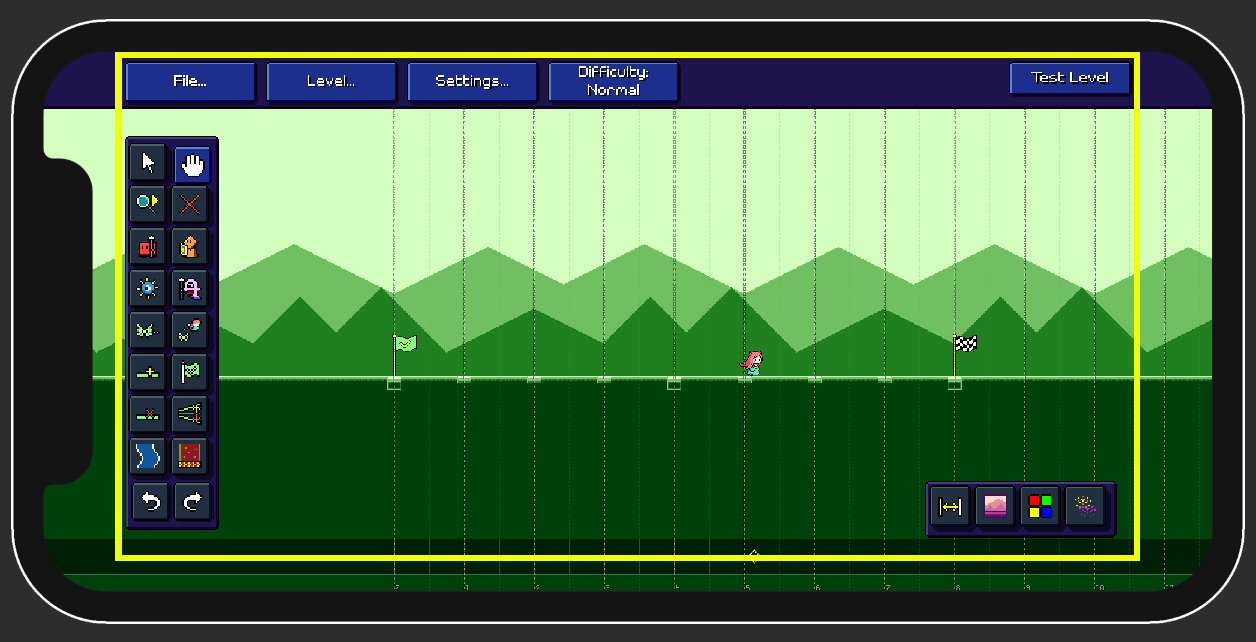
It took a little longer to integrate this than I would have liked, not just because I had to restructure some of how the UI was laid out, but because for whatever reason, applying it on my entire UI hierarchy led to Unity not only hanging but continuing to hang every time that scene was loaded. I ended up with a sort of hacky workaround where I have a dummy object that's resized by Notch Solution and then simply mirror the adjustments to the actual UI separately. Sometimes you just do what works and move on...
Custom Music Synchronization
When custom levels are distributed without music (due to lacking music distribution permissions), a player is responsible for providing their own copy of the music, but there's no guarantee that their copy is actually the same as the one that the level author used. Maybe they have a version that has a different amount of leading silence, maybe they have a "music video" version, or maybe it's just encoded differently, leading to minor timing differences. I knew from the beginning that I needed some sort of UI flow for allowing adjustments to the music offset to handle these cases.
I didn't quite know exactly how this was going to work at first, but because a short audio preview clip is always bundled with the level (regardless of artist permission preferences), I realized I could use that as a timing reference point for the rest of the music. In other words, we can see where the preview snippet is expected to be within the original song, and then adjust if it's different in the player-provided copy.
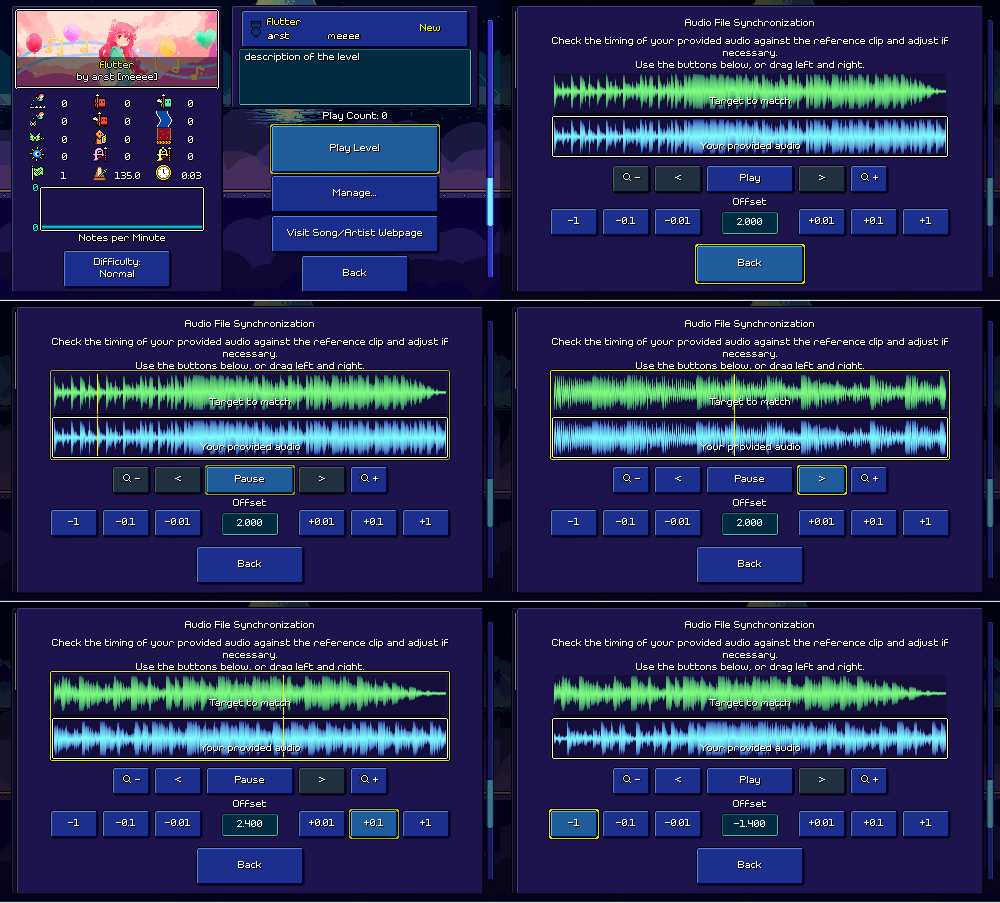
Fortunately, around 2.5 years ago (sheesh...) I built out this nice waveform display and UI for adjusting the timing offset and BPM for songs loaded into custom levels:
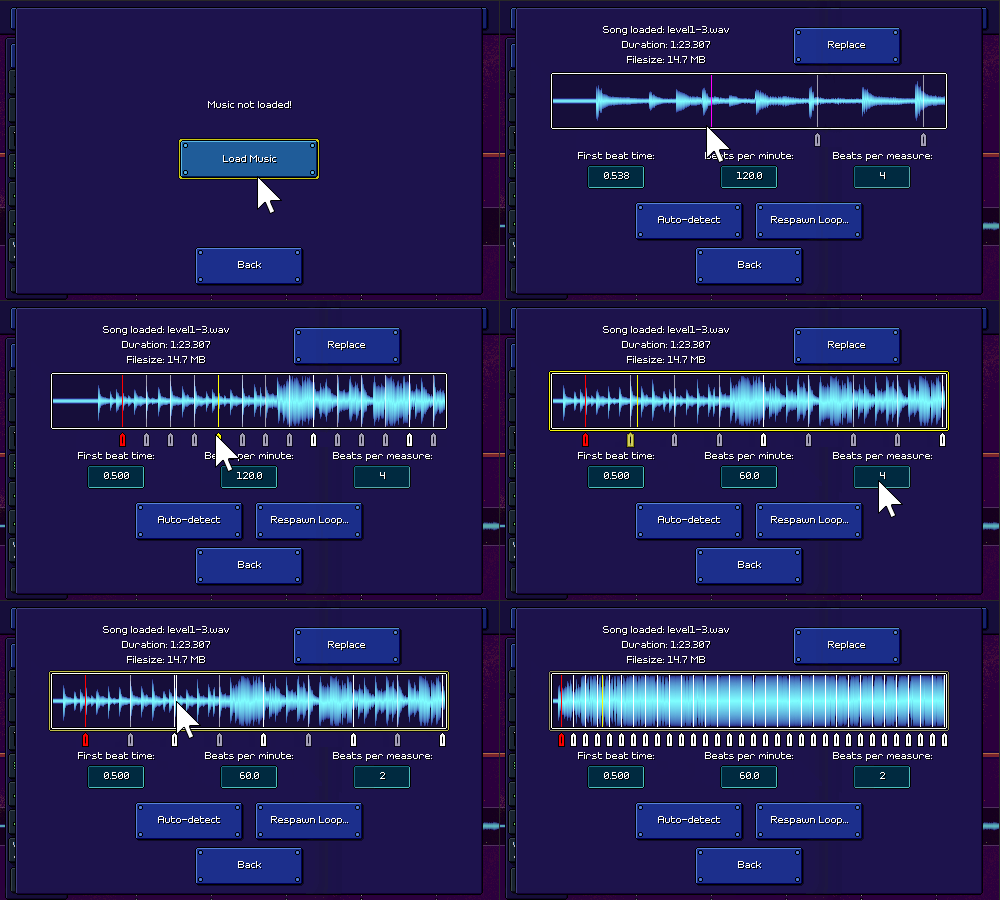
So I already had this tech working and it might seem like I could just reuse this UI with some minor adjustments (instead of adjusting the BPM and timing for one audio clip, I need to show two different audio clips). Of course, as I was looking at this, I realized that the above UI works great using a mouse (click and drag to pan around, scroll up/down to zoom in/out), but is not fully usable with a keyboard or gamepad (or even a touchscreen, where I didn't implement any sort of pinch zoom functionality).
This is only the umpteenth time I've had to mull over "how do I make a sensible UI that fits into the allocated space but also works across 4 different control schemes" so I'm pretty used to it by now. Here's what I ended up coming up with:
Automatic Offset Detection
Along the way I actually implemented logic to automatically detect the appropriate offset for you when you load up a song.
(Again, around 2.5 years ago) I had already added a DSP (signal processing) library into the project that I used for implementing an automatic BPM/beat offset detection algorithm. However, unlike beat detection in an arbitrary song, the problem we're trying to solve here is actually much simpler, as we're simply looking for the position in the provided audio where the preview snippet is. Unforunately I don't have any fancy graphics to show off this time, but the approach is more straightforward conceptually, so hopefully still understandable.
It turns out that taking the cross-correlation of two signals is a well-known way of determining the displacement or time offset that results in the greatest match between them. The NWaves library that I'm using supports this, but there's a problem -- trying to run a cross-correlation between the entire piece of audio provided by the player and the whole preview clip is prohibitively expensive/slow.
To get around this, I actually do the detection in two passes. In pass #1 I actually resample both pieces of audio to a really low quality of 4000hz (roughly 1/10th of what audio would normally be like) and then do the cross-correlation, which not only speeds up the computation immensely but also ensures that both are at the same sampling rate (so that the operation can work out the way it's supposed to). I use a combined weighting of how high the normalized cross-correlation is (i.e. how close the match is), along with how far the offset is. In other words, if there are two sections of the song that both sound like the preview clip, we chose the one that requires the least shifting compared to what we expected from the original source track timing.
From there I narrow down the result by running a second pass, but this time with the original high quality audio. This time I only need to look at a specific subsection of the audio -- I already know roughly where the preview clip starts, so I just take the first couple seconds of it and run the cross-correlation between that and the rough expected range where we already know it is.
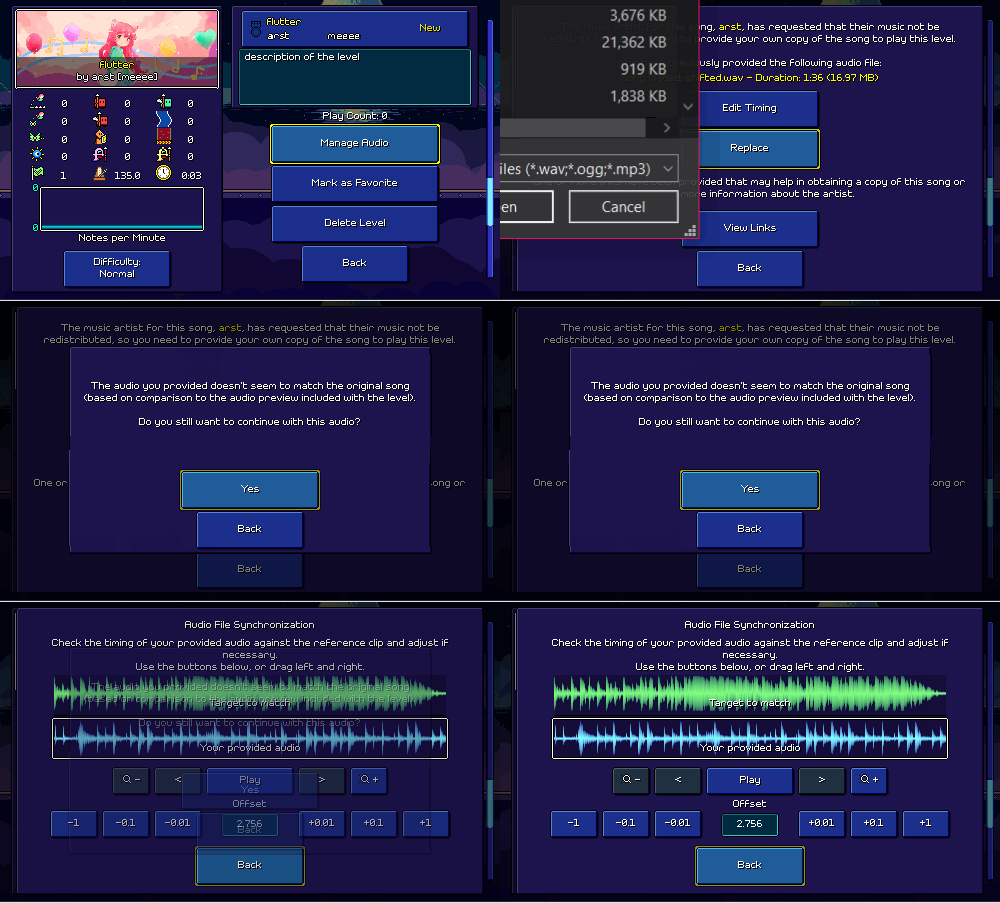
That all seems to be working pretty well, at least in the simple tests that I've done so far. I added some thresholds so that I display a warning notice if your audio doesn't seem to match the preview clip at all:
<< Back: Devlog 83 - Verified Artist Flow
>> Next: Devlog 85 - Level Fading